Skin health education
How DermaVision Works: Strengths and Limitations
Learn what DermaVision can do, how local AI screening works, and what to be careful about when reading results.
Prepared by NextPath Labs Medical Team
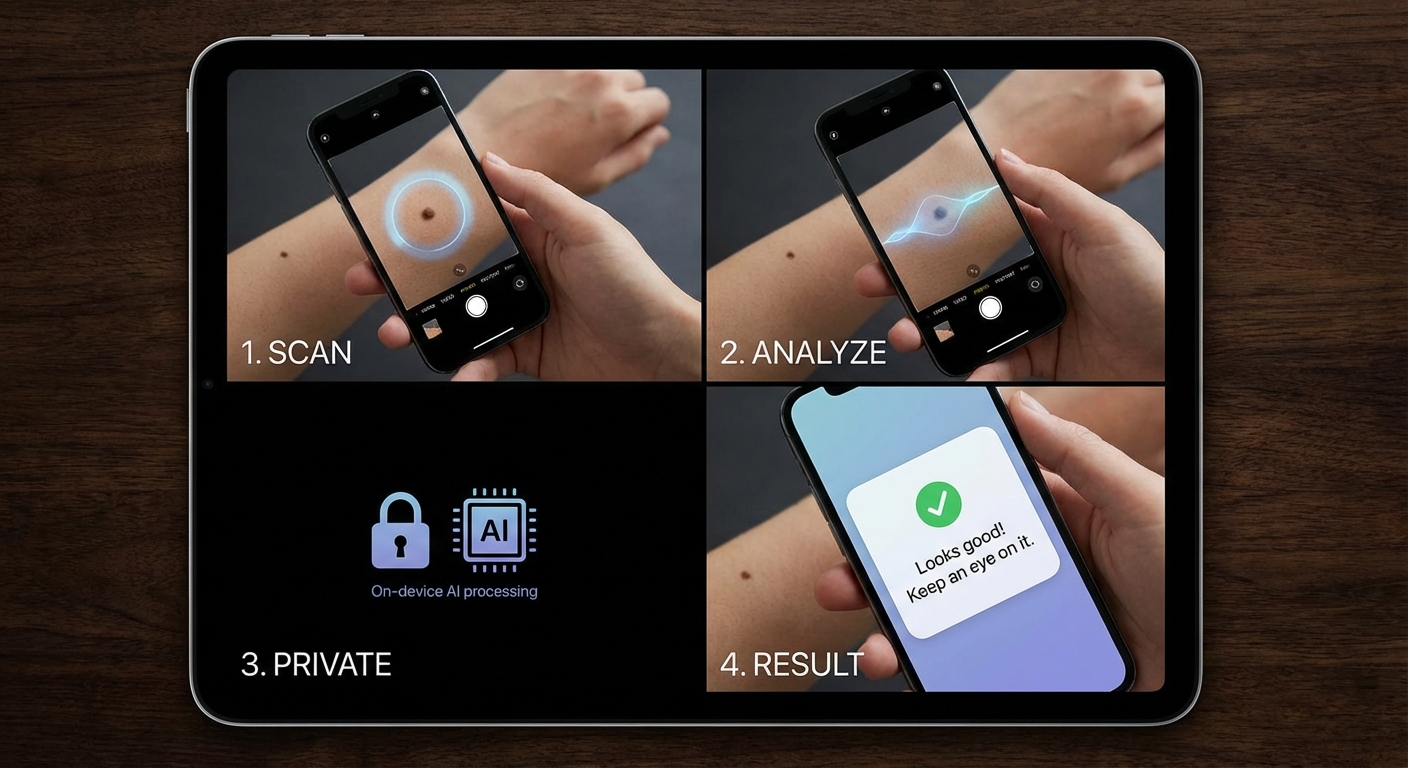
DermaVision helps you look at a skin lesion with more structure. It can highlight patterns, estimate concern, and help you decide when dermatologist review may be appropriate.
It is designed as screening support. It is not a doctor, not a diagnosis, and not a replacement for professional care.
What DermaVision can do
DermaVision can analyze a clear skin lesion photo and return simple risk guidance. The goal is to help you understand whether a spot looks lower concern, worth monitoring, or worth professional review.
It can also help with education. Over time, you can learn which visual features matter, such as asymmetry, uneven color, irregular borders, unusual texture, or visible change.
DermaVision can be useful when you notice a spot that is changing, unusually dark, irregular, bleeding, growing, or simply worrying you.
How the AI screening works
DermaVision uses multiple model steps rather than one single black-box answer.
First, a segmentation model tries to locate the lesion area in the image. In simple terms, it looks for the spot that should be analyzed.
Next, the image is prepared for classification. The system focuses on visual clues such as color, contrast, border shape, texture, and structure.
Finally, classification models estimate which pattern the image most resembles. The result may include categories such as nevus, melanoma-like pattern, basal cell carcinoma-like pattern, or not a skin lesion.

Why local screening matters
The DermaVision Web rebuild uses Local AI Screening. This means your image is analyzed in your browser and is not uploaded for server-side AI inference.
Scan Records can store result metadata and model outputs, but not the raw skin lesion image. If you enable Local Image History, images stay in the current browser or device.
That privacy choice matters. Skin photos are personal, and screening should not require sending every image to a cloud AI service.
How to read a result
A DermaVision result should be read as guidance, not certainty.
A “lower concern” result means the image did not strongly match a concerning pattern. It does not mean the lesion is definitely safe.
A “dermatologist review recommended” result means the image crossed a concern threshold. It does not mean the lesion is definitely cancer.
The safest interpretation is: this image has features that may or may not need professional review.
What DermaVision cannot know
A single photo leaves out important context.
A dermatologist may consider how long the lesion has been present, whether it is changing, your age, medical history, family history, immune status, symptoms, and what the lesion looks like in person.
DermaVision cannot feel the lesion, examine nearby skin, compare your whole body pattern, or perform a biopsy.
That is why AI should support decisions, not make final medical decisions.
Where mistakes can happen
Image quality matters. Blur, shadows, strong flash, hair, tattoos, makeup, compression, and unusual angles can all confuse the model.
AI systems can also perform differently across skin tones, camera types, lesion types, and image sources. Careful testing across diverse populations is essential.
A false positive happens when a harmless lesion is flagged as concerning. This can cause stress or unnecessary follow-up.
A false negative happens when a concerning lesion appears low risk. This is more dangerous because it may delay care.
For that reason, do not ignore a lesion just because an app says it looks low concern.
Known limitation: skin tags
Skin tags are common, harmless growths. They can sometimes have features that an AI model flags as potentially concerning.
If DermaVision recommends review for a skin tag, do not panic. The result means the image deserves caution, not that the skin tag is dangerous.
.jpg)
When to seek medical advice anyway
Consider medical advice if a mole or skin spot:
- changes in size, shape, or color
- has irregular borders
- has multiple colors
- bleeds, crusts, itches, or hurts
- looks very different from your other moles
- grows quickly
- does not heal
- worries you for any reason
If something feels wrong, trust that concern. Professional review is more important than any app result.
The right role for DermaVision
The best role for DermaVision is support.
It can help you pay attention earlier. It can make skin checks easier to start. It can organize results and explain why certain visual features matter.
Used responsibly, DermaVision is valuable because it helps people act sooner, ask clearer questions, and take skin health more seriously.
DermaVision is NOT a medical device. Results should NOT be considered medical advice, diagnosis, or a substitute for consultation with a qualified healthcare professional.